¶ Introduction
The Visit request is the starting point in the analysis cycle. When a provider requests clinical testing to be completed, the initial request received, is recorded in LIMS in the Pending Visit Request list.
The Pending Visit Request list was designed to be used as a management tool to ensure all visit requests are completed; all specimen containers are collected; to assign staff to collect specimens if needed and to resolve billing related tasks.
Due to the varying sources and ways in which analysis requests are received and completed by clinical laboratories; the Visit request allows for the data and steps to be completed in the unique order required for each visit i.e. in some scenarios the specimen containers may have been collected by the doctor and is received with the request form, therefore containers are recorded upfront. Whilst, in other scenarios the laboratory might first review and resolve billing before moving to collect specimen containers.
A status is assigned to each crucial step in the visit request cycle and each step needs to be completed before the visit status will be updated to completed i.e.
- The Visit must be Accepted
- Billing must be Submitted
- Specimen containers must be Collected
Paper or electronically submitted request forms may be attached to the D365 visit request for traceability and future queries.
The setup required for creating and maintaining Visit requests is covered in the Clinical LIMS Specific setups
¶ Navigation
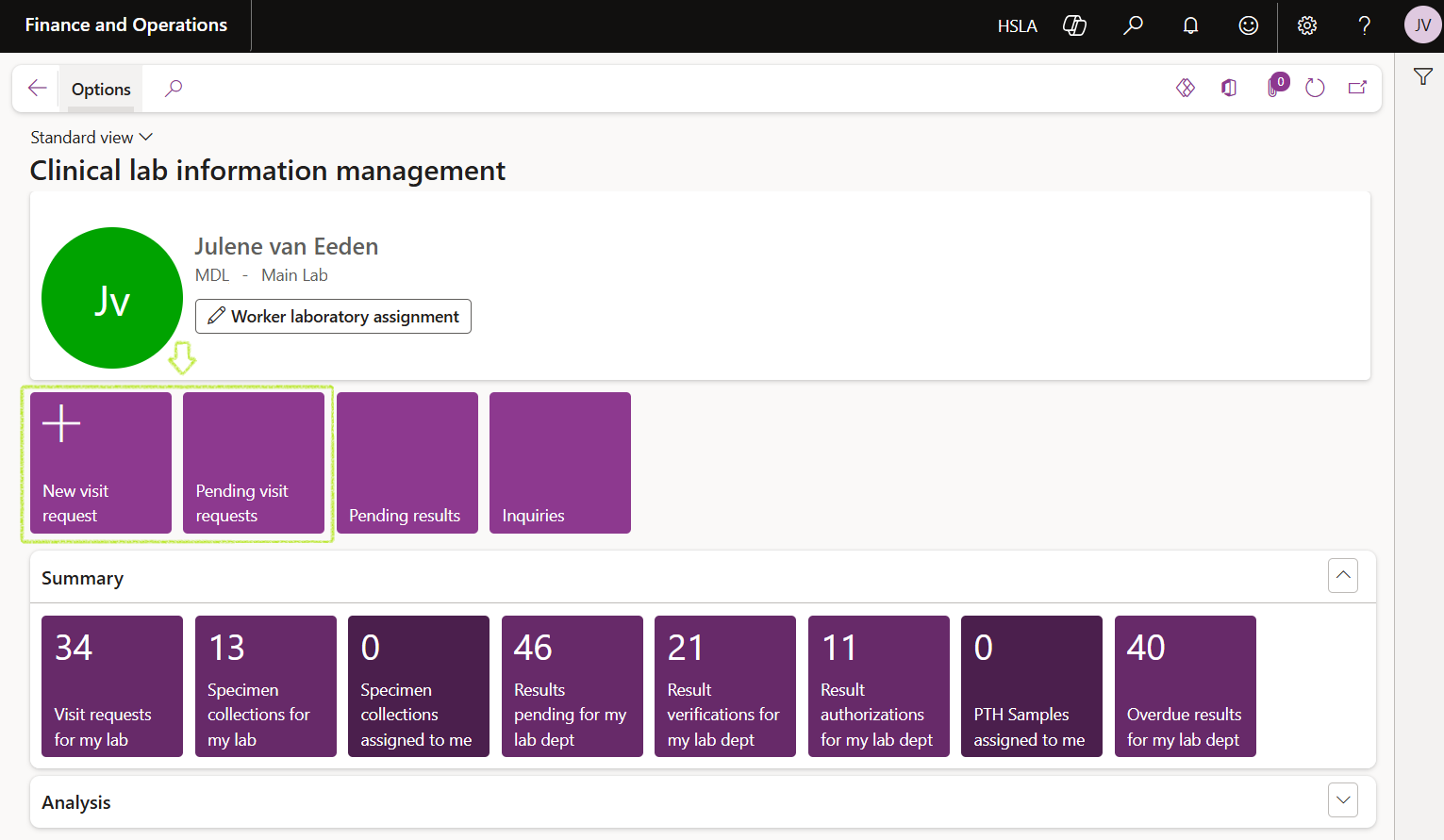
Pending Visit requests may be accessed from the Clinical Lab Information Management workspace in the D365 home page:
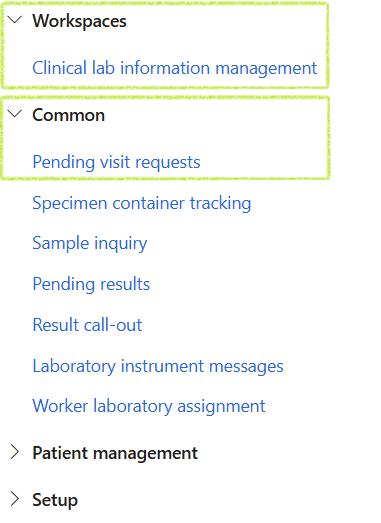
Accessing Pending Visit Requests via the Navigation pane:
¶ Step 1: Find existing visits
¶ Step 2: Create a new visit
¶ Step 3: Add General data
¶ Step 4: Order tests
¶ Step 5: Review billing
¶ Step 6: Accept the visit
¶ Step 7: Collect specimen containers