
¶ Introduction
Materials Requisition module/process enables users to request, approve, and issue inventory items from a company’s own inventory efficiently, with full integration into financial dimensions, budget control, and inventory or warehouse operations.
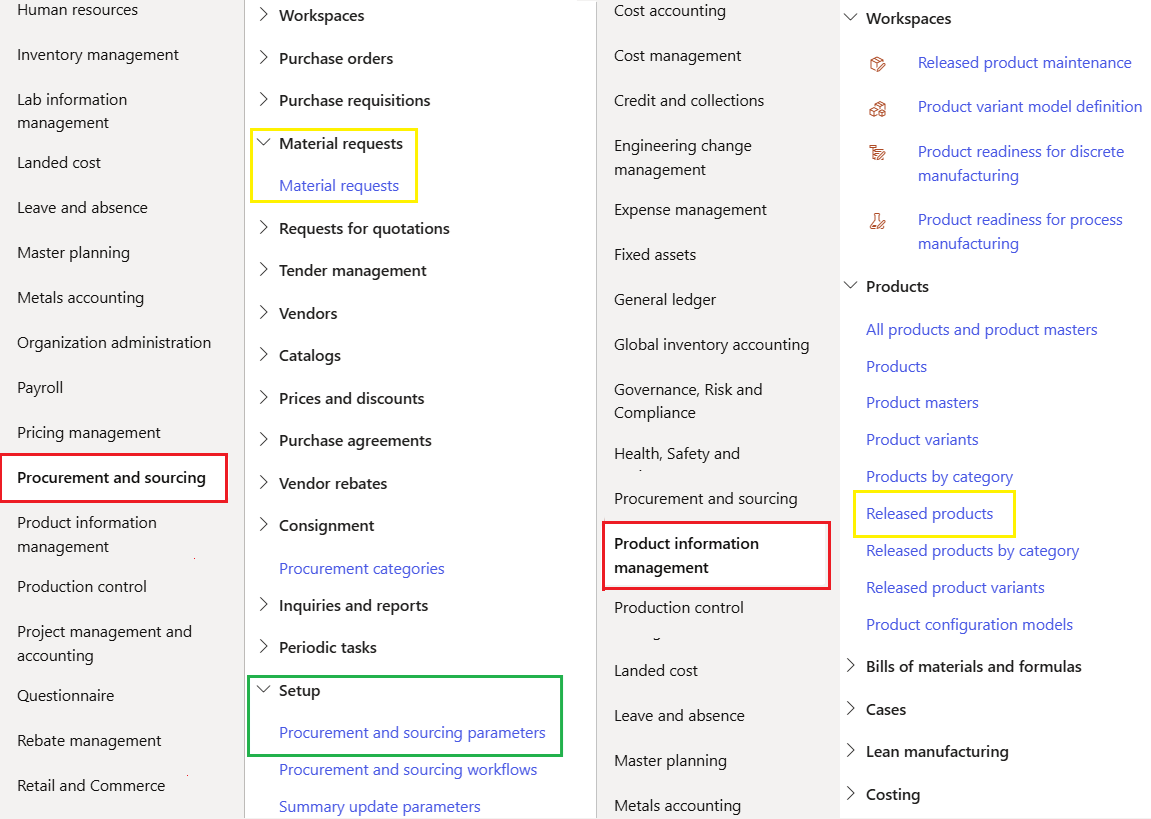
¶ Navigation
¶ Configuration and Setups
These are required and will be covered below:
- Define Procurement and sourcing parameters
- Define Number sequence
- Define Released products to be allowed
- Configure Workflow
- Set up Budget control parameters
¶ Step 1: Define Inventory parameters
Go to: Procurement_and_sourcing > Setup > Procurement_and_sourcing_parameters
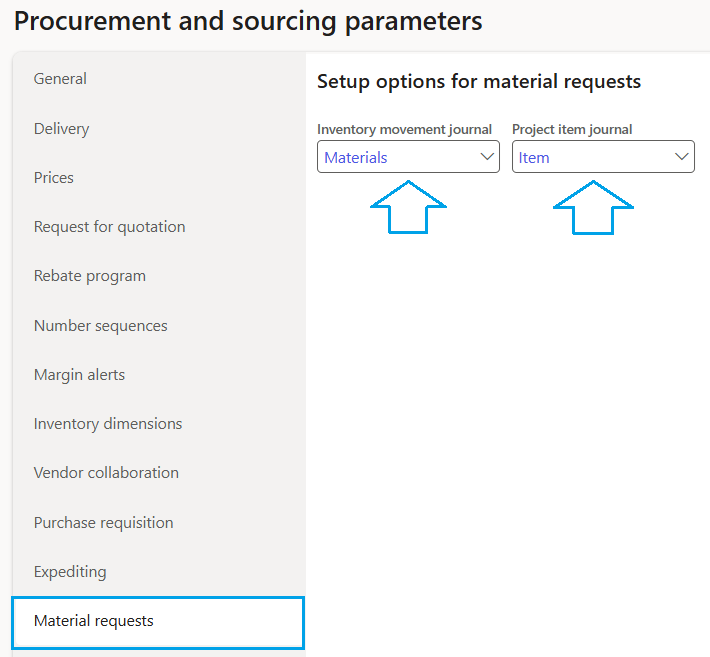
Select the Material request tab
- In the Inventory movement journal, select the default inventory journal name from the dropdown list to be used when the stock is reduced in the warehouse by means of a material request
- In the Product item journal, select the default project item journal name to be used when the stock is reduced in the warehouse by means of a material request
¶ Step 2: Number sequence
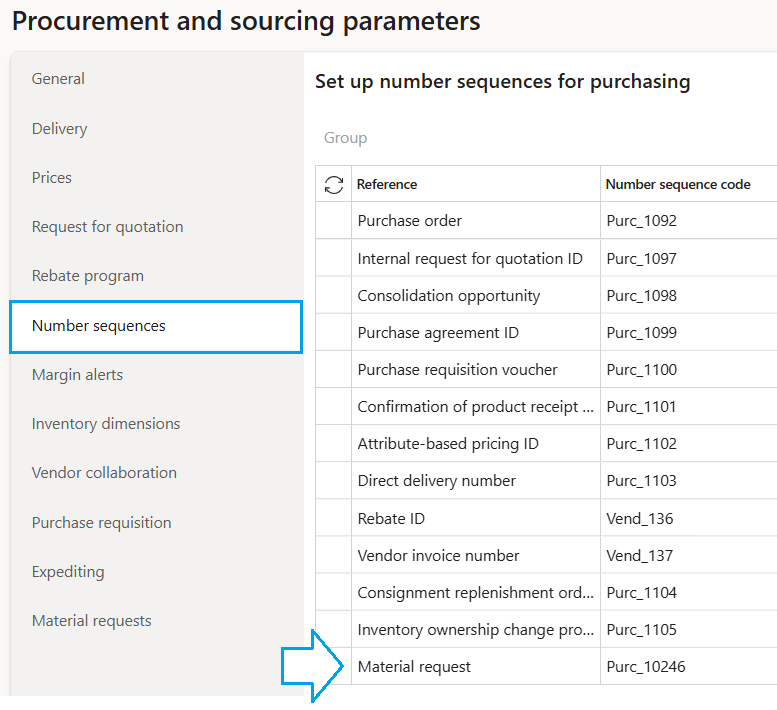
Go to: Procurement_and_sourcing > Setup > Procurement_and_sourcing_parameters
Select the Number sequences tab
¶ Step 3: Released products
This step is to select items from the Released product list available for Material requests
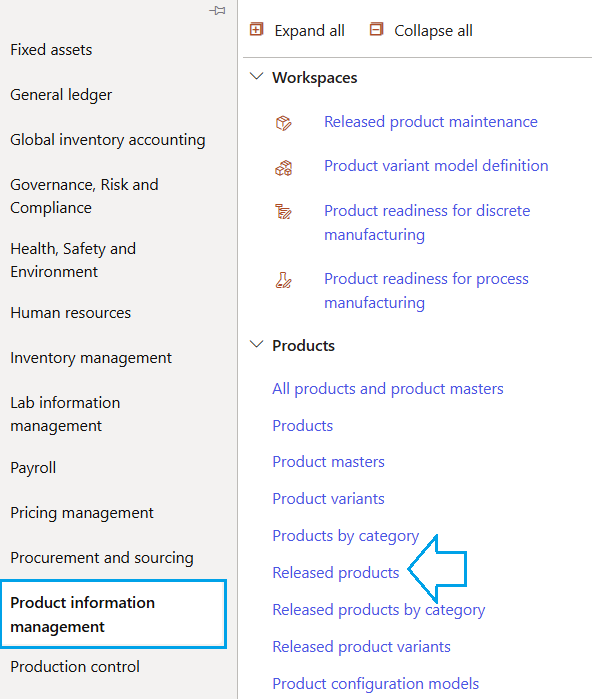
Go to: Product Information > Products > Released products
- On the Action Pane select Manage inventory
- Click on the relevant item number to open the next page
- In the Manage inventory fast tab, under the MATERIAL REQUESTS field, set the slider to Yes to make the item available for selection for material requests.
- The Workflow priority is used to indicate the priority of the item. Eg, set the priority High, for critical items that may cause the operations to stop. The workflow can then be set up to have a short or different flow for approval of these items.
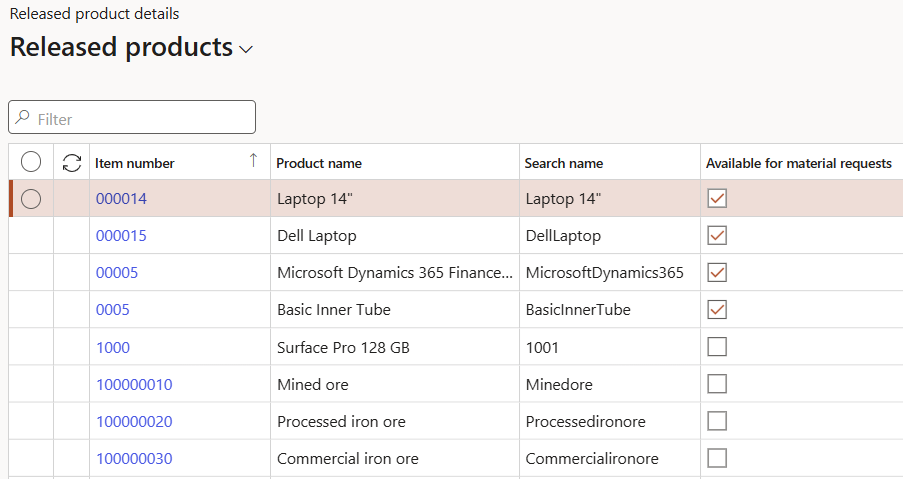
- All released products are listed
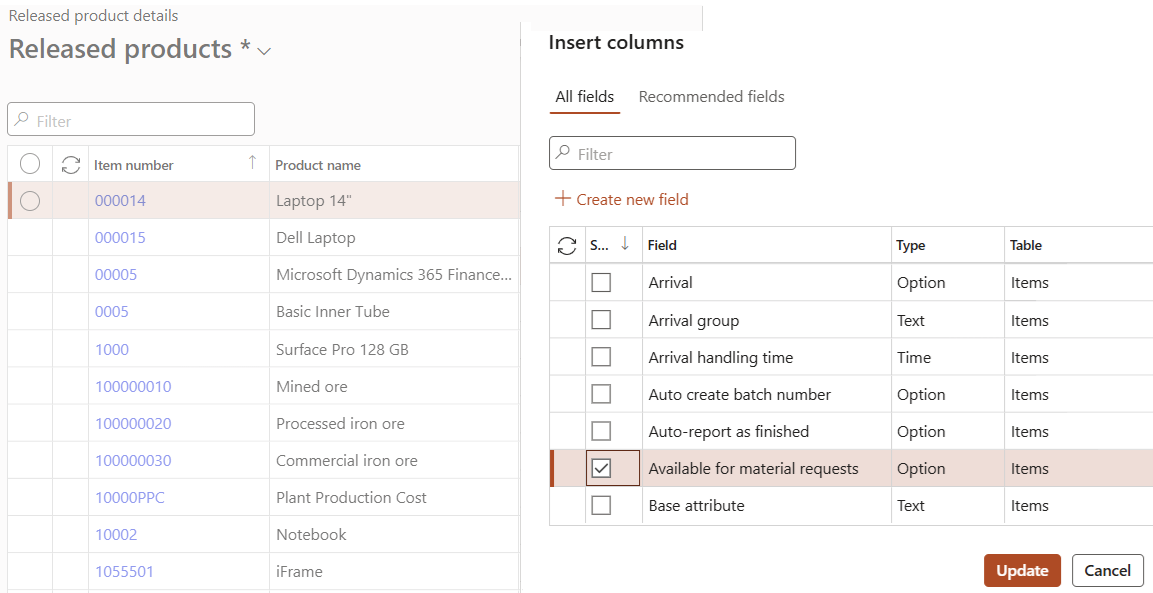
- Add a column by right-clicking on the field row and selecting Insert columns
- A list of all fields will appear in the dialog box
- Select Available for material requests and update
- Select all items from the list which should be available for material requests
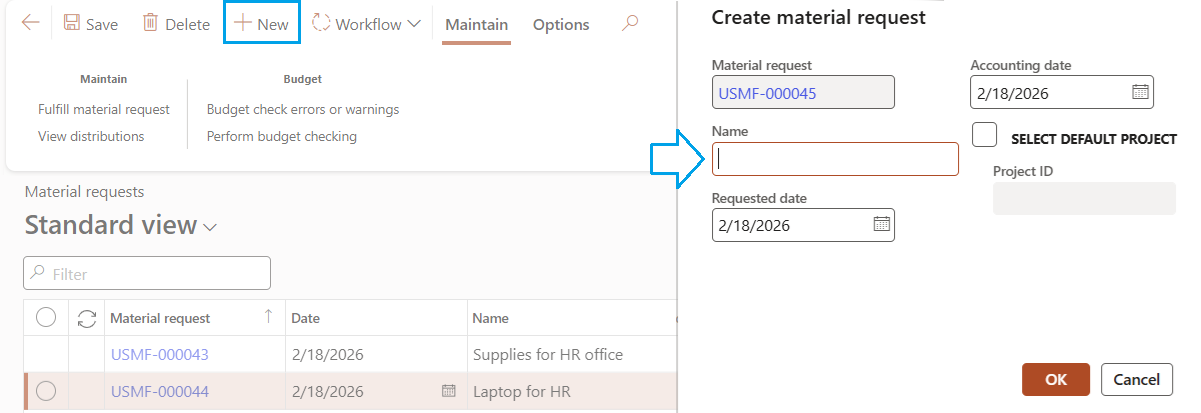
- Click on New in the Action Pane, a dialog box will open
- The Material request number is generated according to the number sequence setup
- Add a Name for the Material request
- Enter a date in the Requested date field. The requested date and accounting date are copied to the Material request lines. The requested date is the requested receipt date. It can be changed at line level.
- Enter a date in the Accounting date field. This date is used to record the accounting entry in the general ledger and to validate whether budget funds are available.
- Click OK
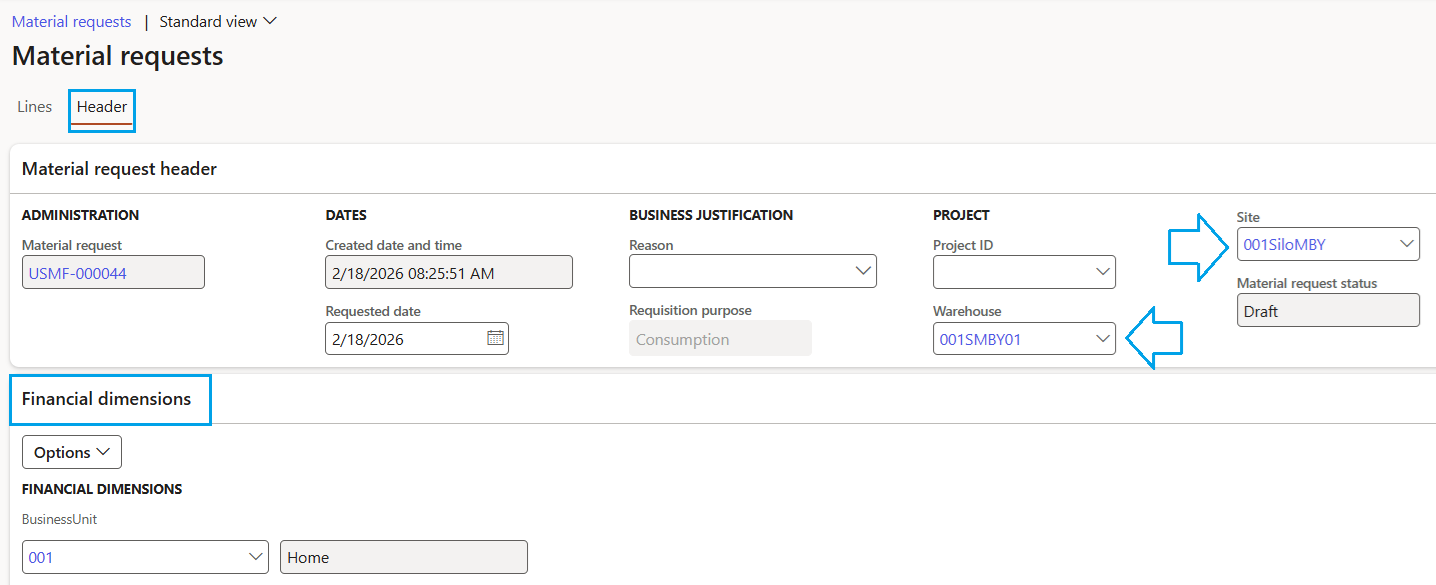
- In the header view, select the Warehouse and Site where stock must be transferred to
- Under Financial Dimensions fast tab, select the required dimensions
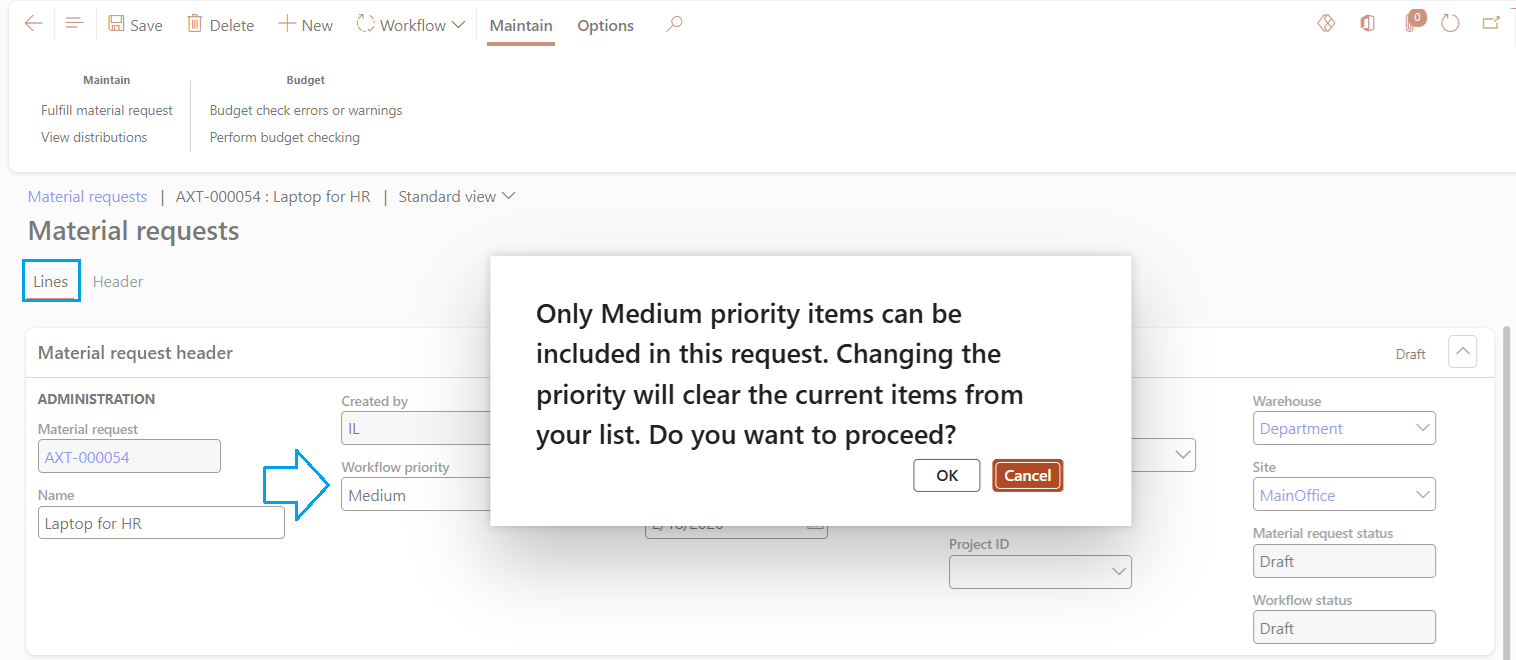
- In the lines view, under Material request header the workflow priority can be changed if not correct
- The system will only allow items with the same priority on the same Materials request, different priority items can not be mixed on the same Materials request. Only items with the same priority will be available for selection
- When the priority is changed, and lines already exist, a warning will appear
- Click OK to change the priority
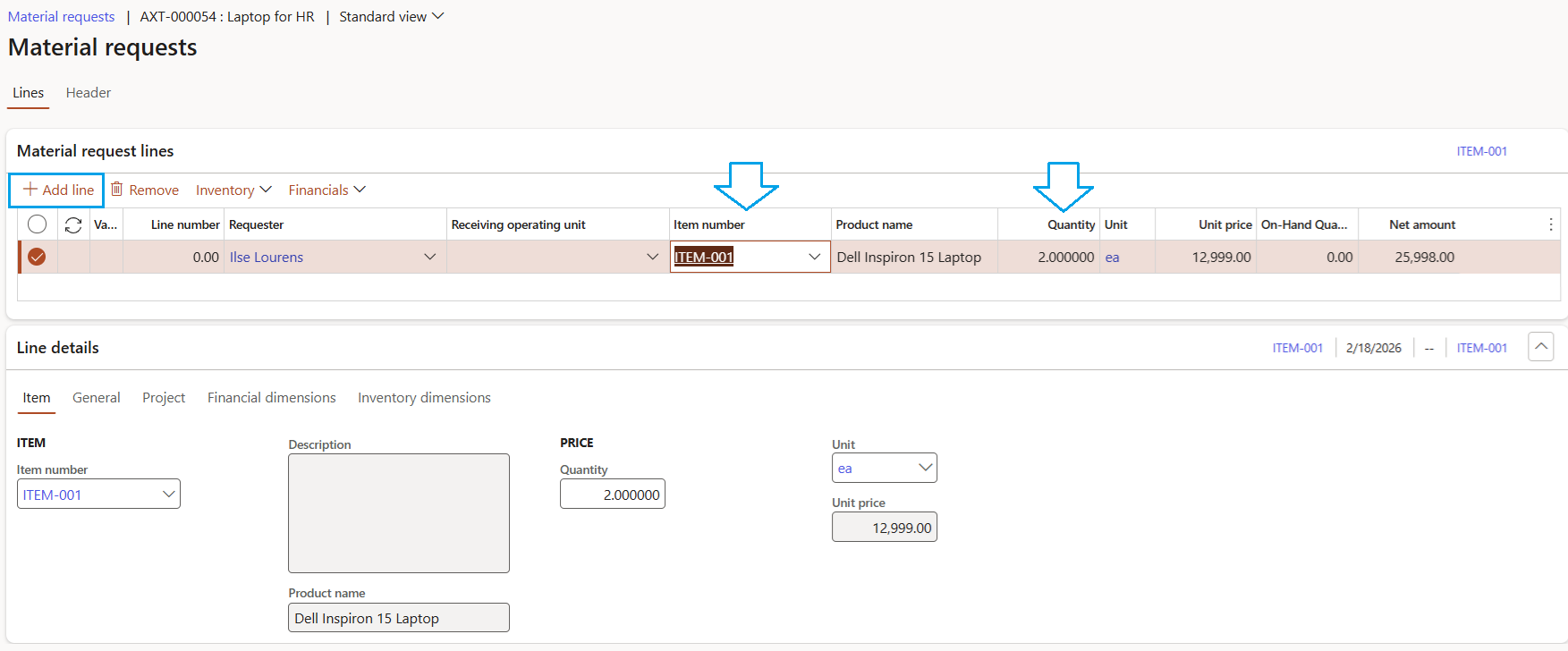
- Under Material request lines, click on Add line
- Select the Item number and Quantity
- Click on Save
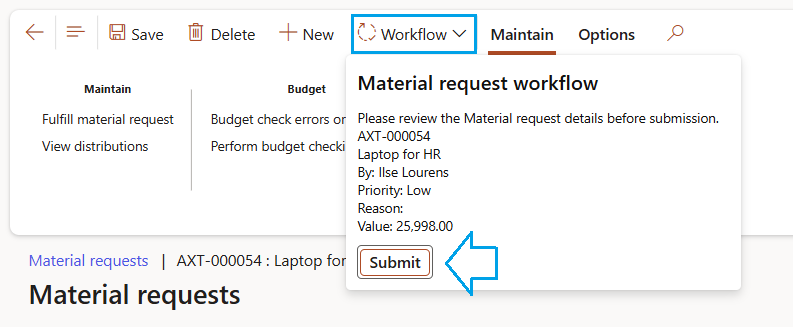
- Click on Workflow in the Action Pane
- A new form will open with details of the request
- Click on the Submit button
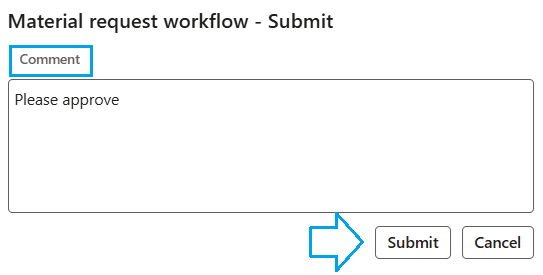
- A dialog box will open, fill in Comments and click Submit
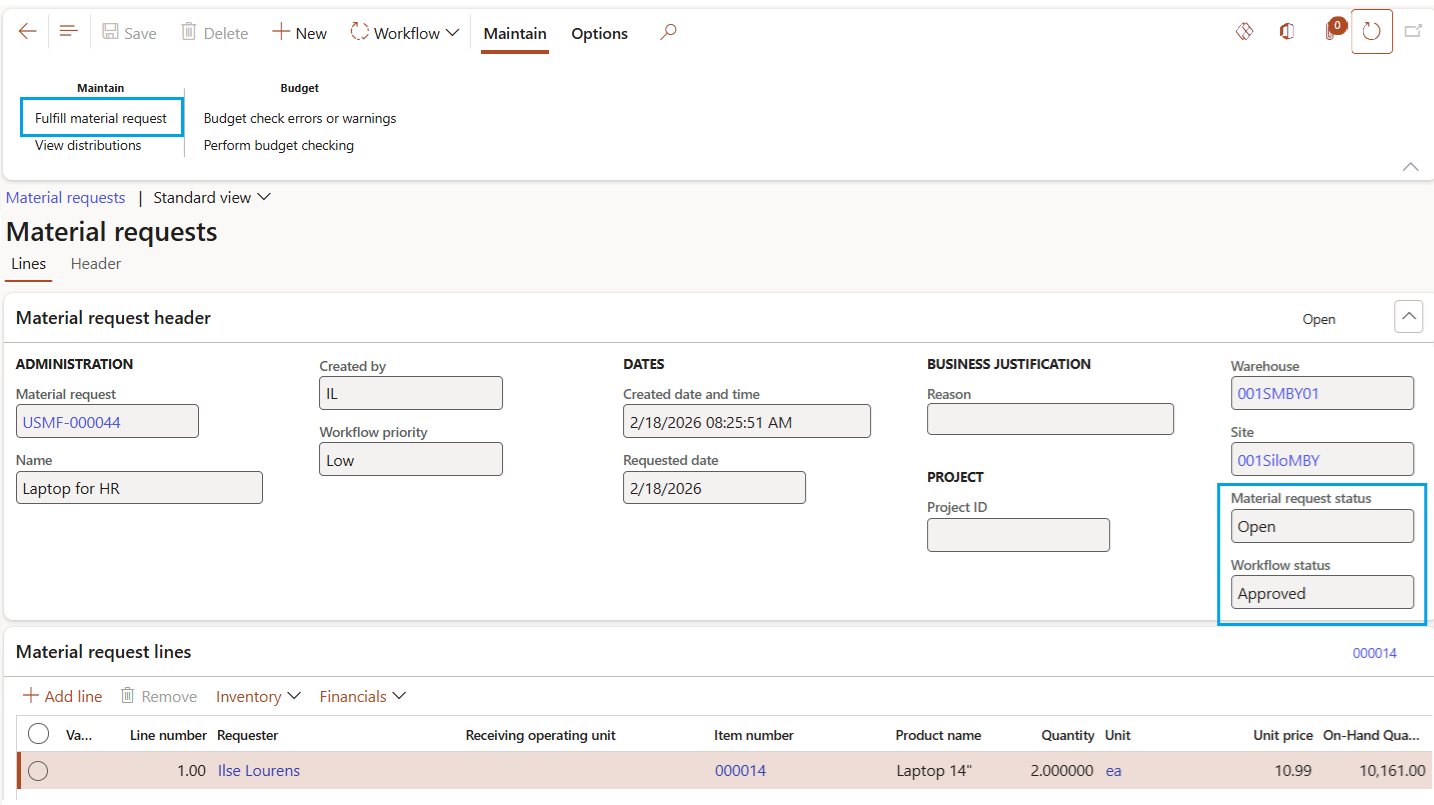
- Click on the required materials request id
- Click on the Fulfill material request button
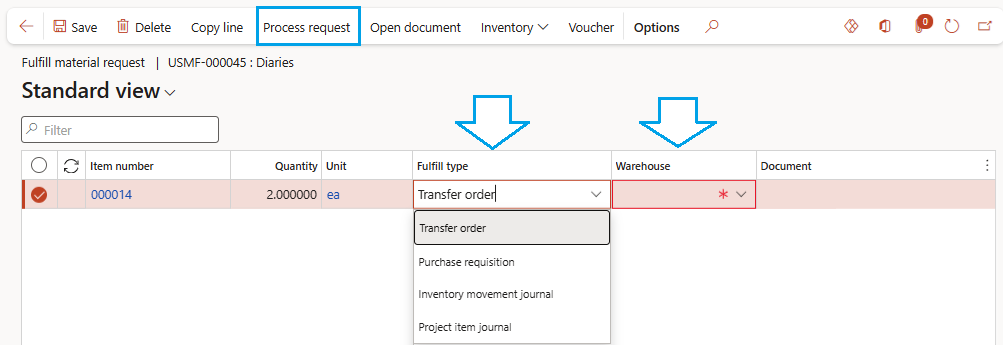
- The Fulfill material request form will open
- Change the Fulfil type by selecting from the dropdown list
- Select the Warehouse that received the item from the dropdown list
- Repeat these steps for all the lines
- Click the Process request button
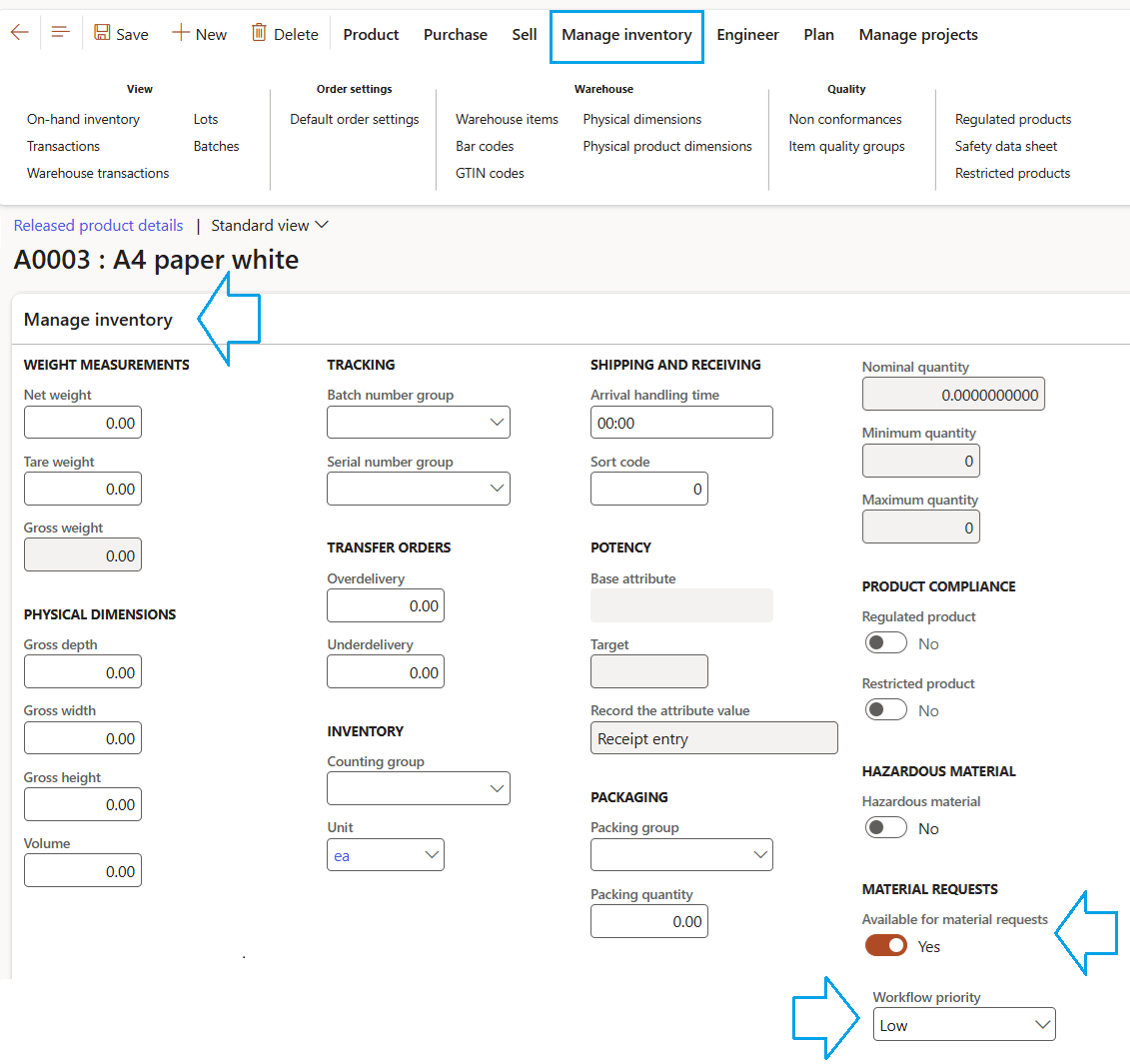
For obsolete products, set this slider to No
Another option to show the items available is as follows:
Go to: Product Information > Products > Released products
¶ Step 4: Workflow
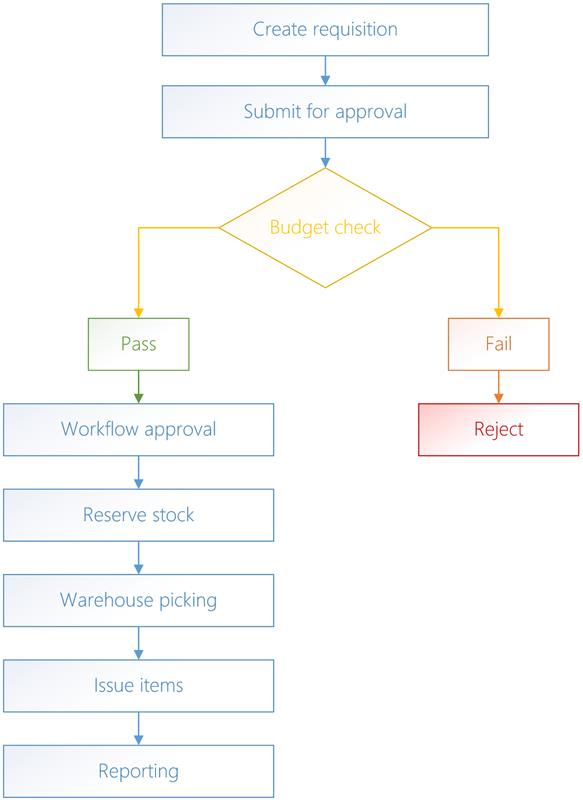
Material requests can be set up to make use of workflow. Approvers can approve, reject, request changes, or delegate requests depending on workflow configuration.
¶ Step 5: Set up Budget control parameters
Go to: Budgeting > Setup > Budget control > Budget control configuration
Budget control is a standard Microsoft functionality. Axnosis is not responsible for maintaining the website.
Budget control
¶ Step 6: Daily use
¶ Create a new material request
Go to: Procurement and sourcing > Material requests > Material request
¶ Step 7: Submit to Workflow
¶ Step 8: Material request fulfilment
Only Approved Material requests can be fulfilled. The Material request status will change to "Open" once the workflow has been approved
Go to: Procurement and sourcing > Material requests > Material request
¶ Step 9: Stores/Warehouse Processing
Approved requests move to stores for checking availability and issuing materials via system-generated journals